 Can be activated Worldwide
Borderless Gaming Steam Gift

What You Get
- You will receive an email with a redemption link. Click the link to open Steam, then accept the gift notification in the top-right corner of the Steam client. If you don't have Steam, download it at store.steampowered.com and create an account first.
- Due to Valve's Steam Gift policy, gifts for VAC-protected games cannot be added to your Inventory. Make sure you are logged into the correct account before redeeming, as Steam Gifts can only be added to your library or rejected.
- We are NOT responsible for any issues that may arise from purchasing or using Steam Gifts. You proceed at your own risk.
Only 1 left!
100% Valid Key Guarantee
Invalid key? Contact support within 30 days for a replacement or full refund.
Details
- Developer
- Bandai Namco Holdings
- Publisher
- Bandai Namco Holdings
- Released
- 2016
- Type
- indie valley
Categories
Release Date
July 23, 2016
Languages
German, English, Russian
Steam
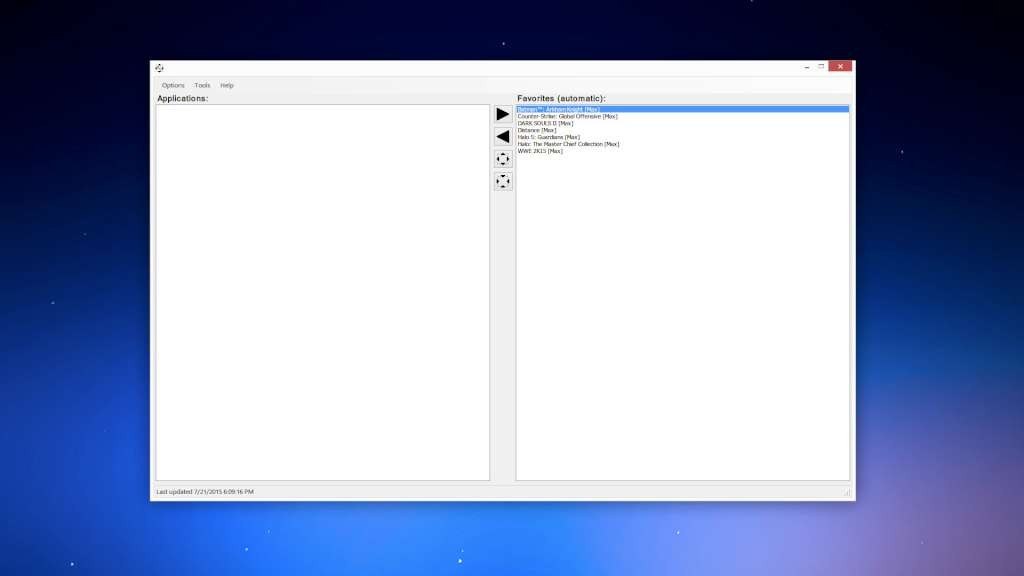
View on SteamBorderless Gaming forces borderless-fullscreen mode in any game. Stream at any resolution while still being able to easily alt-tab out as if you were in windowed mode. No more risk of crashing in badly optimized games when you want to switch songs or check your email.
A lot of games run smoother when running in a window, the need for V-Sync goes out the window, it's simple to use and you can click and forget. No more apps with overly complex methods of adding games or useless features bloating up your system resources.It's also open source so anyone can contribute to making it the best tool out there. See the links in the side bar for the releases/source code.
When you buy Borderless Gaming you're choosing to support the development. You can always get it free on Github if you're lacking coins.